

Updating the status keeps residents and project managers informed. The process is the same whether you are updating a pipe in an apartment or a main stem.
Here is how to do it quickly.
- Find the Pipe: Go to the project and tap the Stammar (Main Pipes) or Apartments tab.
- Tap it: Select the pipe section you are working on.
- Set Status: Choose the new status:
- In Progress when you start.
- Completed when you finish.
- Confirm: Tap save.
Once you save, the resident's dashboard updates within 30 seconds. They will also receive a push notification about the change within 5 minutes.
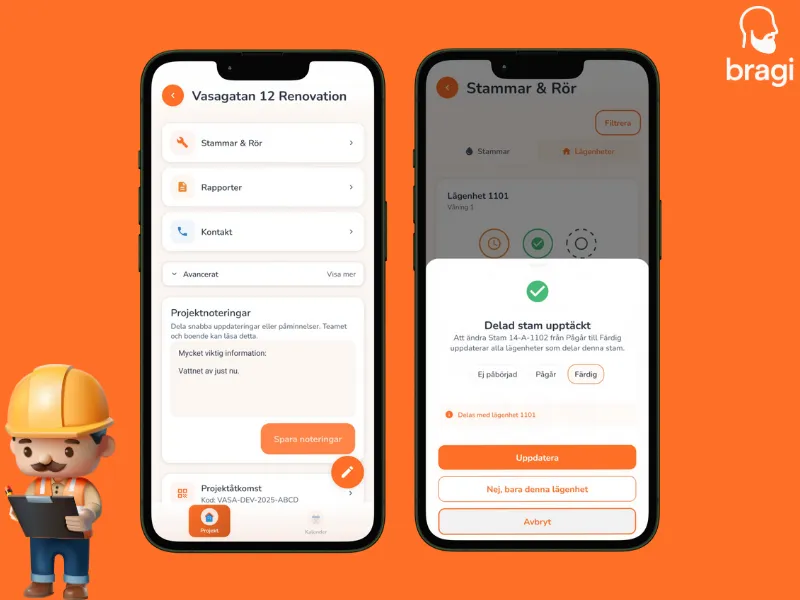
Working on a shared pipe?
If you update a main pipe (stam) that connects to multiple apartments, the app asks if you want to update the status for all those apartments too. Most of the time you will want to say Yes.