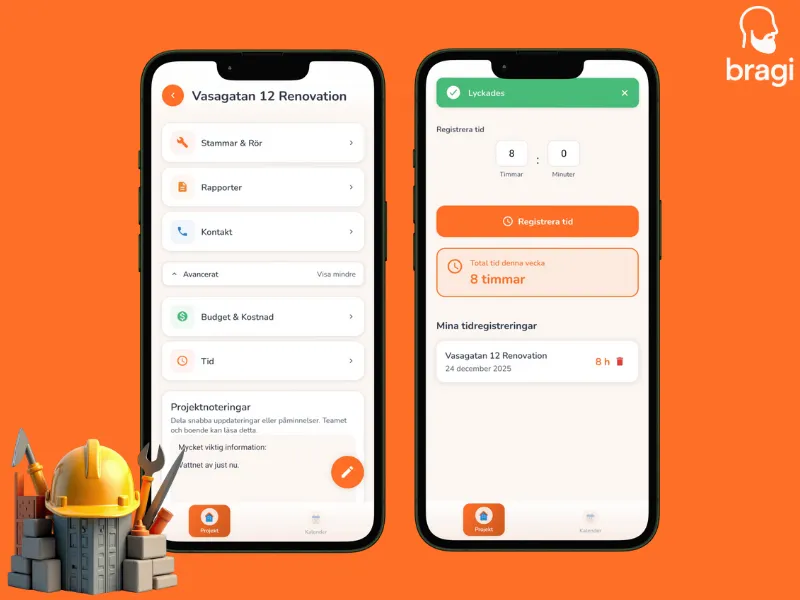

Logging your time helps project managers and administrators keep track of exactly how much time is spent on a project each day. It is fast and ensures everyone is on the same page.
- Open the Project you are working on.
- Tap Advanced to see more options.
- Tap the Time tab.
- Enter your hours and minutes.
- Tap Register Time.
That is it. You can see your logged hours for the week right there in the list.