

Creating a report is just step one. You also need to solve it.
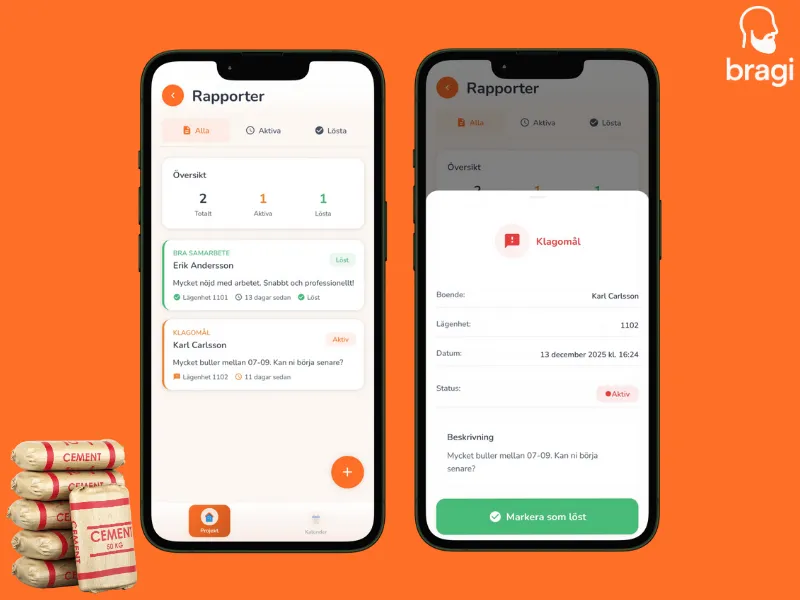
Active vs. Resolved
- Active (Orange): Needs attention. Check these daily.
- Resolved (Green): Done. You fixed of issue or answered to question.
How to Resolve
- Open the report.
- Do the work (call resident, fix the lock, etc.).
- Tap Mark as Resolved.
Finding Reports
Use the tabs at the top of the screen to switch between Active and Resolved reports. This helps you focus on what needs attention today or review tasks you have already finished.