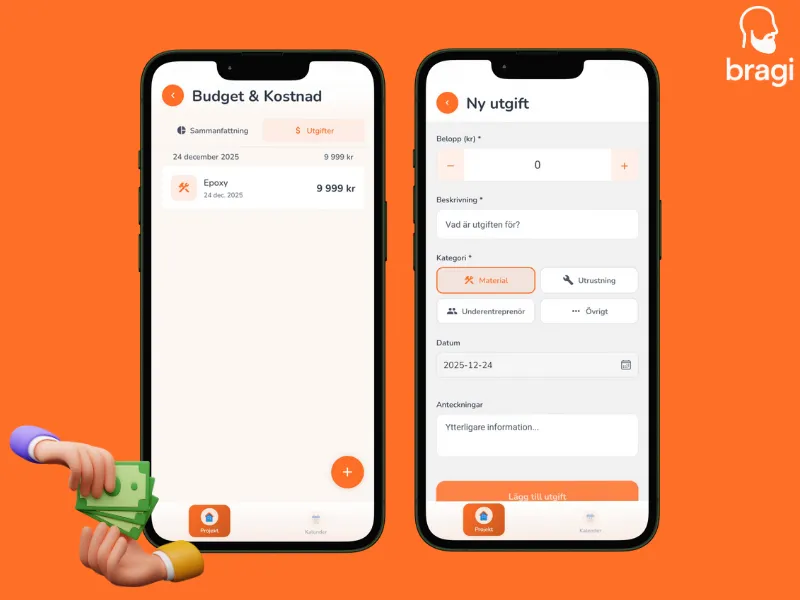

Don't let receipts pile up. Log expenses as they happen to keep the budget accurate.
Add an Expense
- Go to Budget -> Expenses.
- Tap +.
- Fill in the details:
- Amount: How much?
- Category: Material, Equipment, Subcontractor, or Other.
- Description: What was it? (e.g., "Camera rental week 2").
- Save.
Categories
- 🔨 Materials: Physical items that stay in the building.
- 🔧 Equipment: Tools and machines you rent or buy.
- 👤 Subcontractor: Specialists you hire.
- ⋯ Other: Permits, parking, food.