

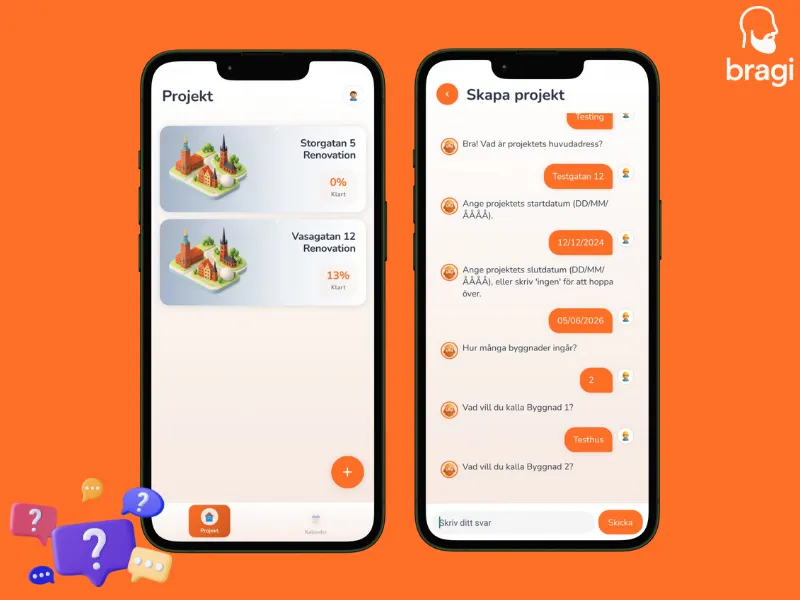
Creating a project in BragiBuild is as easy as chatting with a colleague. Instead of a boring form, our assistant guides you through every step.
Start the Chat
- Go to the Projects tab.
- Tap the + button in the top right.
- Say "Hi" to the project creator!
What You'll Be Asked
The assistant will ask you a few simple questions to build your project structure:
- Project Name: Give it a clear name (e.g., "Brf Eken Renovation").
- Address: Where is the work happening?
- Buildings: How many separate buildings are there?
- Entrances: How many stairwells (uppgångar) per building?
- Floors & Apartments: How tall is it, and how many units per floor?
- Dates: When do you start and finish?
Final Review
At the end, you'll see a summary of everything you entered. Double-check it, then tap Submit.
🎉 Done! Your project is live, and the access code is ready to share.
Shared Pipes
Do two apartments share a kitchen drain? You can link them in your project! This ensures that when you update the status for one, the neighbor also gets a notification.