

Need to adjust the number of floors or how apartments connect to the main pipes? The Building Configurator handles the details.
Open the Configurator
- Open your project.
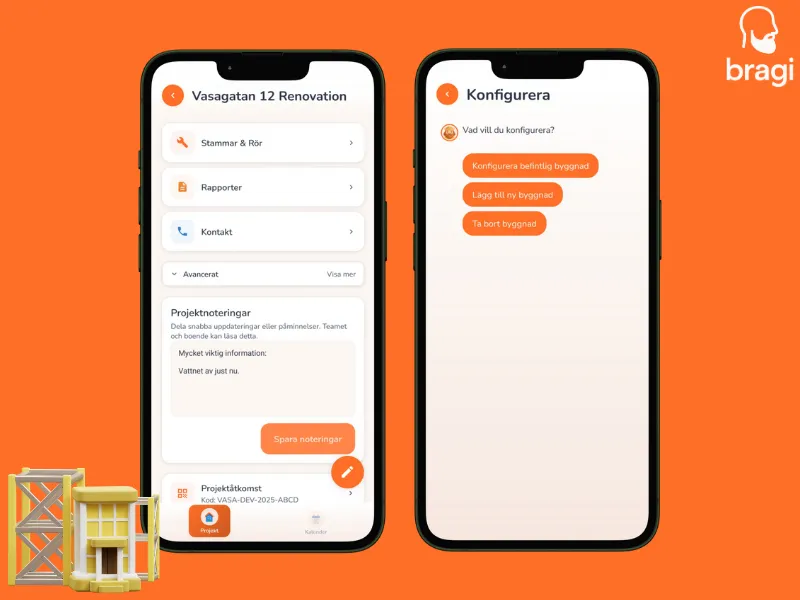
- Tap the Pen Icon (✏️) at the bottom of the project list.
- Choose what you want to do: Configure Existing, Add Building, or Remove Building.
What You Can Change
- Floors: Add or remove floors for specific entrances.
- Entrances: Rename stairwells (e.g., "Uppgång A", "Uppgång B").
- Apartments: Adjust the number of apartments on specific floors.
- Pipes: Define your main stems (stammar) and link them to apartments.
Shared Pipes
Do two apartments share a kitchen drain? You can link them here! This ensures that when you update the pipe status for one, the neighbor gets notified too.